Integrations Settings
These settings control the integration with other plugins and services, such as Bases and external calendars.
Bases Integration
TaskNotes v4 uses Obsidian's Bases core plugin for its main views. For setup instructions, see Core Concepts.
View Commands Configuration
View command settings map TaskNotes commands and ribbon actions to specific .base files. This is useful when you maintain custom variants of the default views and want first-class command access to those files.
Access these settings in Settings → TaskNotes → General → View Commands.
Default mappings:
- Open Mini Calendar View →
TaskNotes/Views/mini-calendar-default.base - Open Kanban View →
TaskNotes/Views/kanban-default.base - Open Tasks View →
TaskNotes/Views/tasks-default.base - Open Calendar View →
TaskNotes/Views/calendar-default.base - Open Agenda View →
TaskNotes/Views/agenda-default.base - Relationships Widget →
TaskNotes/Views/relationships.base
Each command allows you to specify a custom .base file path and includes a reset button to restore the default path.
Create Default Files: Button to generate all default .base files in the TaskNotes/Views/ directory. Existing files are not overwritten.
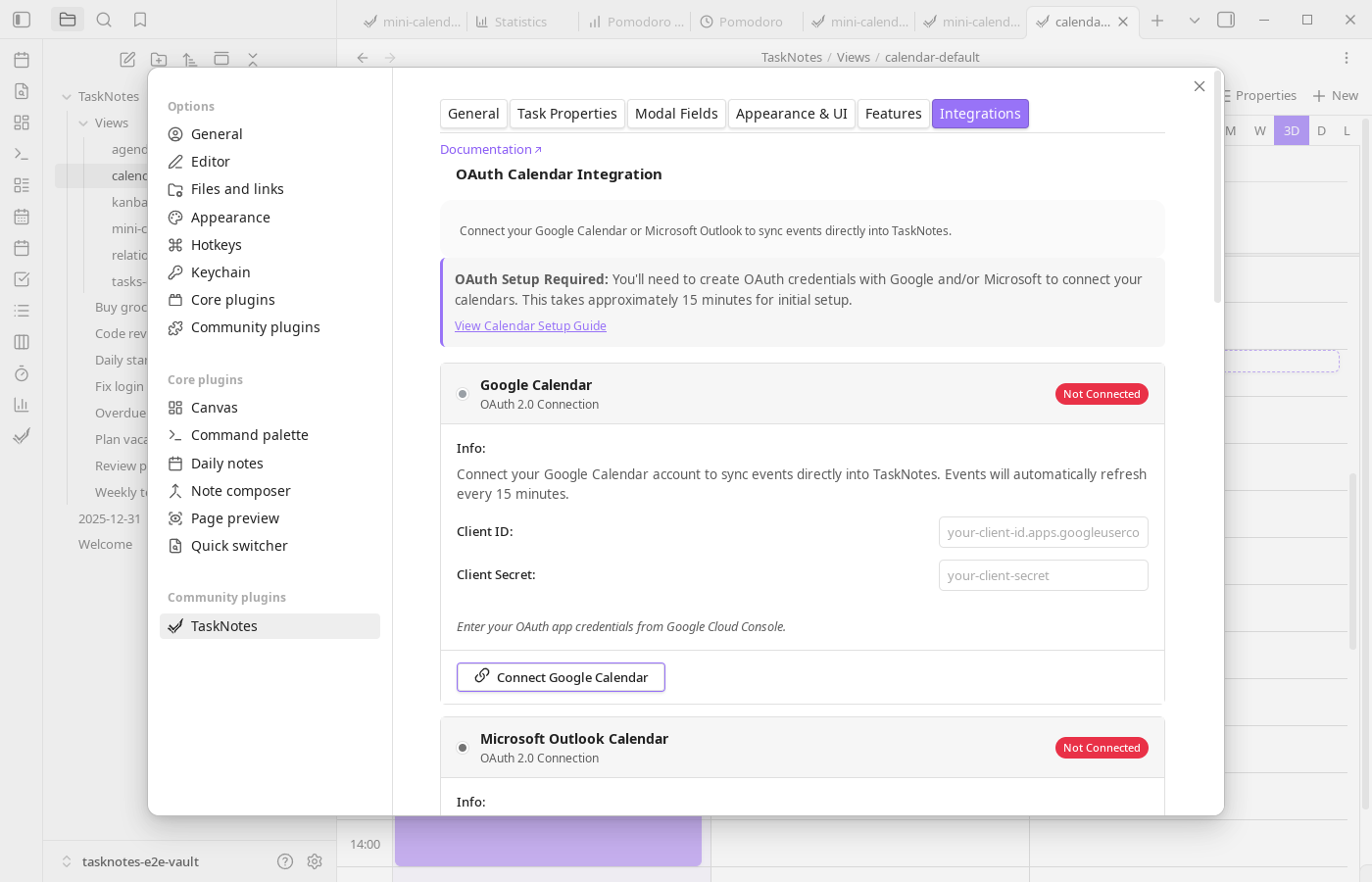
OAuth Calendar Integration
Connect Google Calendar or Microsoft Outlook to sync events bidirectionally with TaskNotes. Events automatically refresh every 15 minutes and sync when local changes are made (such as dragging events to reschedule).
Setup Requirements
OAuth integration requires creating your own OAuth application with Google and/or Microsoft. Initial setup takes approximately 15 minutes per provider.
Setup Guide: See Calendar Integration Setup for detailed instructions on creating OAuth credentials with Google Cloud Console and Azure Portal.
Google Calendar
Provide Client ID and Client Secret from Google Cloud Console, then use Connect Google Calendar to complete OAuth loopback authentication. Disconnect revokes local credentials.
When connected, displays:
- Connected account email
- Connection time
- Last sync time
- Manual refresh button
Microsoft Outlook Calendar
Provide Client ID and Client Secret from Azure App Registration, then use Connect Microsoft Calendar to authenticate. Disconnect removes stored credentials and sync access.
When connected, displays:
- Connected account email
- Connection time
- Last sync time
Security
- OAuth credentials are stored locally in Obsidian's data folder
- Access tokens refresh automatically
- Calendar data syncs directly between Obsidian and the calendar provider (no intermediary servers)
- Disconnect at any time to revoke access
Calendar subscriptions (ICS)
ICS settings define how subscribed calendar events are represented in your vault. You can set a default template, destination folder, filename strategy, and custom filename template for generated notes. Use Add Calendar Subscription to register URLs or local files, and Refresh all subscriptions for manual synchronization.
Automatic ICS export
Automatic export keeps an ICS feed of your tasks updated on a schedule. Configure whether it is enabled, where the file is written (vault-relative path), the refresh interval, and use Export now for immediate output.
HTTP API
HTTP API settings control the local server lifecycle, listening port, and request authentication token.
Changes to API enablement or port require an Obsidian restart to take effect.
!!! warning If the authentication token is empty, API requests are unauthenticated. Set a token unless your environment is fully trusted.
Webhooks
- Add Webhook: Register a new webhook endpoint.