TaskNotes app · 1.0.5
Views and navigation
Use and arrange lists, boards, calendars, projects, and saved views in the TaskNotes app.
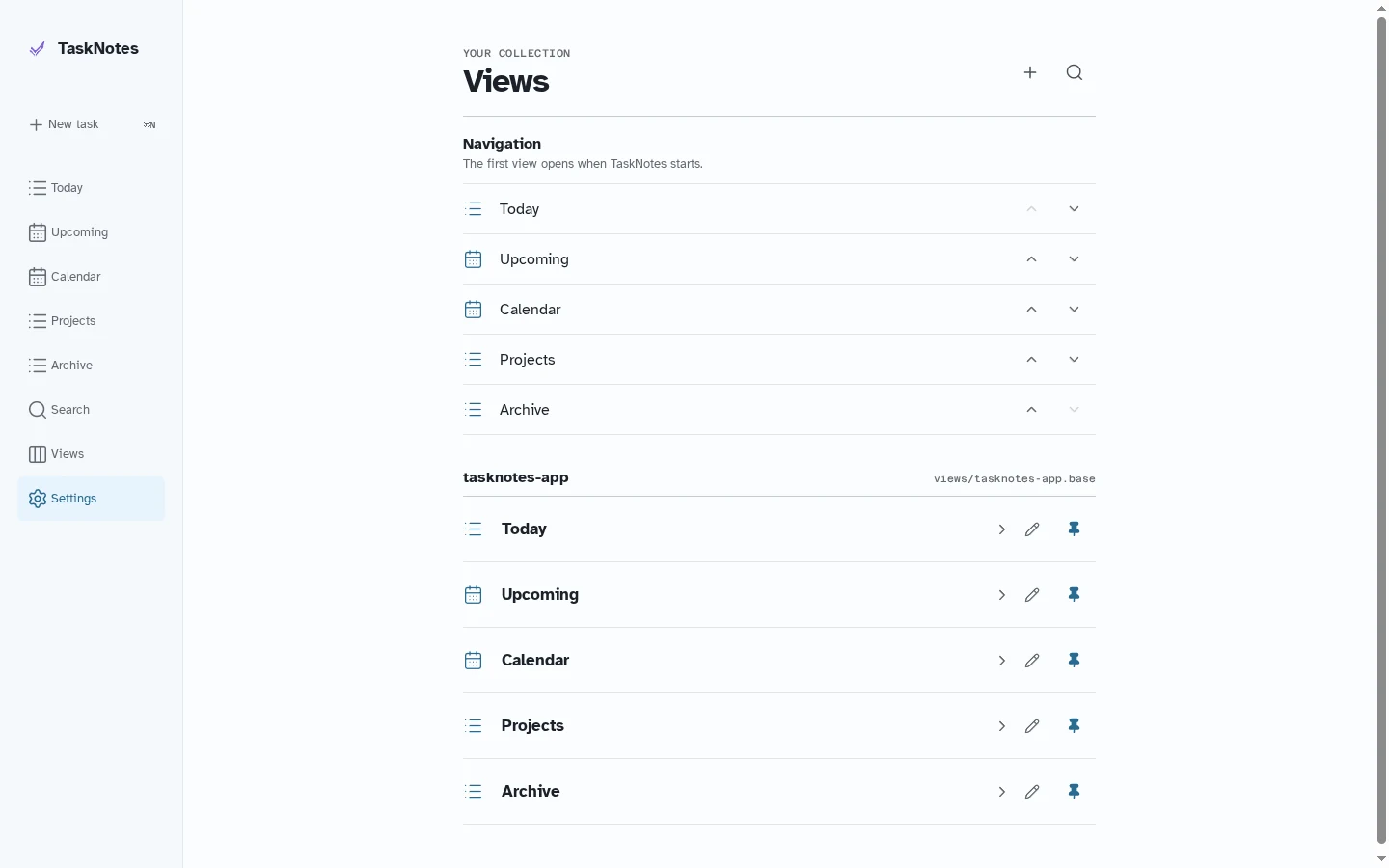
Views are saved ways of selecting, sorting, grouping, and presenting records in a collection. They travel with the collection; the set pinned to navigation is a preference on each device.
Starter views#
TaskNotes creates managed starter views such as Today, Upcoming, Calendar, and Projects. They use the same saved-view catalog as user-created views while providing focused presentations for common work.
Presentations#
- Task list supports grouping, visible properties, section moves, and manual ordering.
- Kanban groups tasks into columns and can update the grouped property when a task moves.
- Calendar shows task dates in month, week, day, and list layouts.
- Mini calendar combines a month picker with tasks for the selected day.
- Projects finds project records referenced by active tasks.
Navigation#
Open Views to add or remove a view from navigation and to change its order. The first navigation item is the collection's home. Mobile displays the first three views directly and keeps the rest in the Views destination.
Create and edit views#
The view editor controls the name, presentation, query, grouping, sort order, visible properties, and safe defaults for tasks created from the view. View documents remain ordinary collection resources rather than being stored only inside the TaskNotes app.