Agenda View
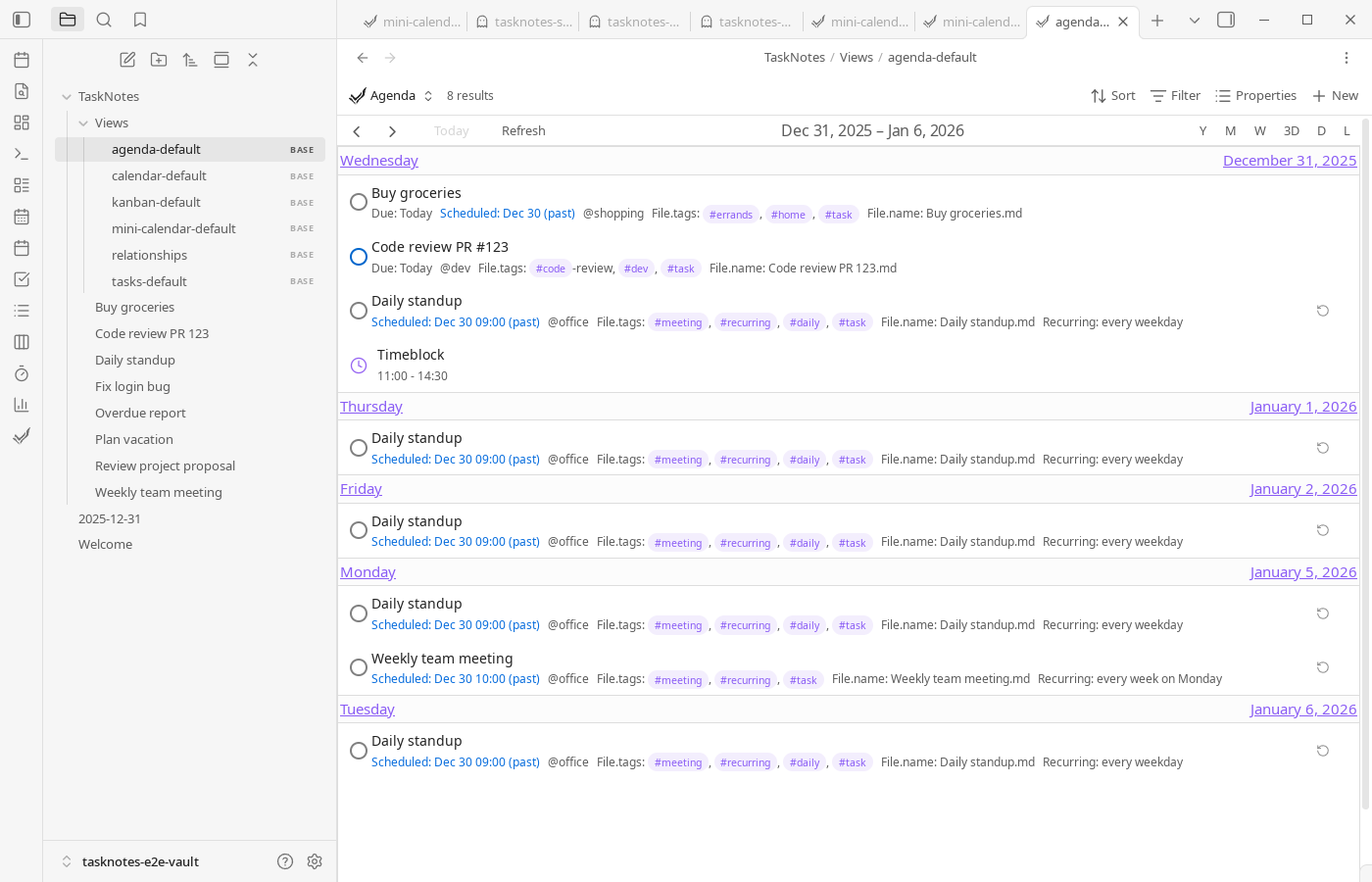
The Agenda view is a dedicated .base file that opens the calendar in list mode. It provides a scrollable agenda of upcoming tasks, notes, and external calendar events without needing to switch the primary calendar into list view manually.
File Location
- Default file:
TaskNotes/Views/agenda-default.base - Command: Open Agenda View (ribbon icon and command palette)
- Configure the file path in Settings → TaskNotes → General → View Commands
The file is created automatically the first time you run the command, and you can replace it with your own .base file if you maintain multiple agendas.
Default Configuration
The stock agenda file renders the calendar in listWeek mode:
views:
  - type: tasknotesCalendar
    name: "Agenda"
    calendarView: "listWeek"
    listDayCount: 7
    startDateProperty: file.ctime
    titleProperty: file.basename
    order:
      - note.status
      - note.priority
      - note.due
      - note.scheduled
This configuration displays seven days at a time, derives entries from file.ctime/file.basename, and inherits the same display options (show scheduled/due/recurring/timeblocks/time entries/ICS events) as the primary calendar view.
Customization
Edit the .base file to tailor the agenda:
- Change
calendarViewtolistDayorlistMonthfor different spans - Adjust
listDayCountfor shorter or longer agendas - Add
filtersto focus on specific projects, tags, or statuses - Modify
orderto control which task properties appear in the row layout
Because the view runs inside Bases, any YAML changes are applied immediately after saving the file.
Usage Tips
- Use the calendar toolbar arrows (Previous/Next) to move the agenda window forward or backward, or simply scroll the list to review upcoming entries
- Saved views within Bases let you maintain multiple agenda variants (e.g., "Work Week" vs. "Personal")
- Calendar display options (show due, show scheduled, etc.) persist when you save the
.basefile, so you can maintain one agenda that includes external events and another that focuses strictly on TaskNotes tasks