Shared concept
Share a Markdown task list with someone
Invite someone to your TaskNotes collection as an editor. You can both add tasks, change due dates and complete tasks in the same Markdown files.
Share the collection that holds the tasks. The other person gets access to every file in it, even if you only meant to share the list you see in Today. For a household list, put the household tasks in their own collection first.
Before you start#
You need a synced collection with a cloud copy and an mdbase account for each person. A list saved only in your browser is private to that browser. Connect it to mdbase before inviting anyone.
Ask the other person for the email address they have already verified with mdbase. The owner needs an available member seat. For one shared collection, Free has room for one other person and Plus for up to five. See mdbase pricing.
1. Open the collection’s access settings#
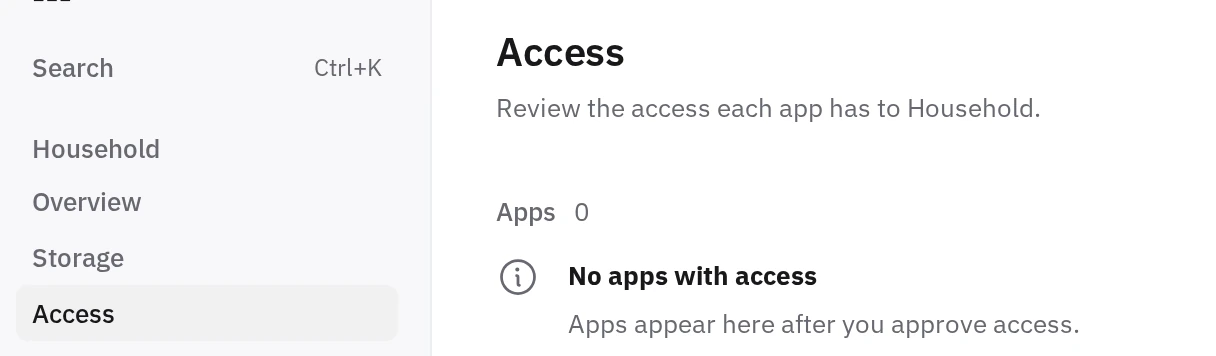
As the owner, open mdbase Connect, choose the collection by name, then choose Access under that name. In this example the collection is called Household.
2. Invite the other person as an editor#
Under People & sharing, choose Invite person. Leave Verified email selected, enter their address and change Viewer to Editor. TaskNotes needs write access to create, change and complete tasks. An editor can also rename the collection and change its types.
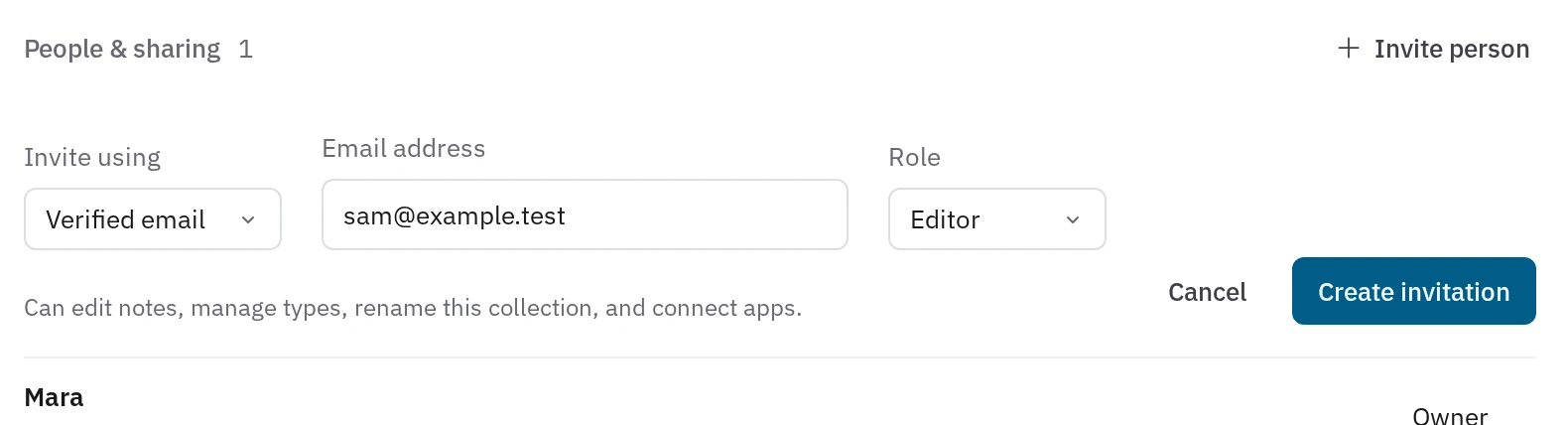
Choose Create invitation, copy the private link and send it directly to the other person. If they verified their email after you made the invitation, create a fresh one.
3. Accept the invitation#
The other person opens the link and signs in with the account you invited. Under A collection was shared with you, they choose Accept. Household now appears in their collections.

4. Open the same list in TaskNotes#
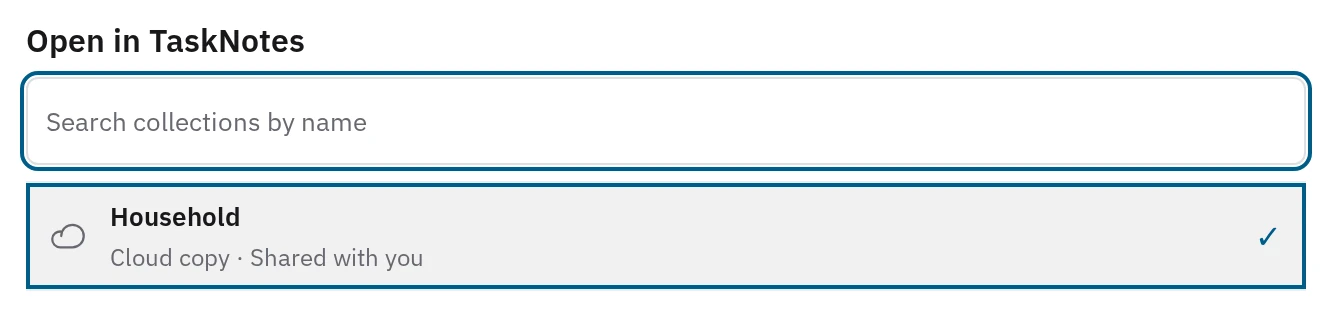
On their device, the other person opens TaskNotes and signs in to mdbase. If they already use TaskNotes with another collection, they choose Settings → Collection → Add a collection…. Under Open in TaskNotes, they select Household, then Open TaskNotes.
Create a task with a title you both recognize. Ask the other person to open it and add a line under Notes. Open the task again on your device to see their edit.
What you’ll see on disk#
If you sync the collection to a computer, both people’s edits reach the same Markdown file. For example, TaskNotes saved this household task at tasks/20261124174342.md. The text under the second --- is where the other person’s measurements would appear.
---
title: Measure the kitchen window
status: open
priority: normal
scheduled: "2026-11-24"
dateCreated: "2026-11-24T06:43:43.014Z"
dateModified: "2026-11-24T06:43:43.014Z"
tags: [task]
id: e1173327-29b8-4404-b235-156a657d92d0
mobileRevision: 1
type: task
---
Measure inside the frame before ordering the blind.
To stop sharing, open Access → People & sharing and remove the person. Future changes stop reaching them. They keep any files they have already downloaded. More about collection sharing.